> ## Documentation Index
> Fetch the complete documentation index at: https://docs.aicamp.so/llms.txt
> Use this file to discover all available pages before exploring further.
# Create & Manage Projects | AICamp
> Learn how to create, rename, delete, and organize projects in AICamp. Group chats, files, and instructions around specific goals to streamline your workspace.
Projects in AICamp help you organize chats, files, and instructions around a specific goal or topic.\
You can create multiple projects, rename them, or delete them — all from the sidebar.
***
## Create a New Project
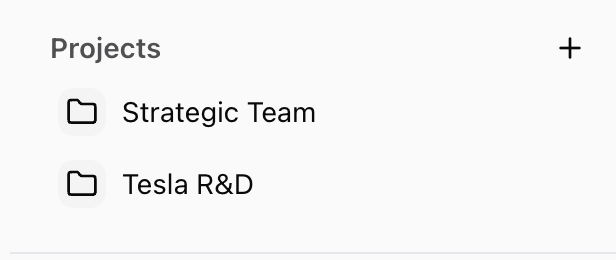
1. Go to the **Projects** section in the left sidebar
2. Click the **“+” (Create Project)** button
3. Enter a **Project Name** (e.g. “HR Policy Docs” or “Marketing 2025 Planning”)
4. Your project will now appear in the sidebar and open as a dedicated workspace
 ## Inside Your Project
Each project includes:
* **Knowledge Files** — Upload files for AI to reference (PDFs, DOCs, etc.)
* **Project Instructions** — Add context that applies across all chats in the project
* **Chats** — Start and organize multiple conversations with access to the same files and instructions
All content stays scoped to that project.
***
## Create a Chat Within a Project
1. Open your project from the sidebar
2. Click **“Create Chat”** from the top or via the three-dot menu next to the project name
3. Begin chatting — your uploaded files and instructions will automatically apply
You can create multiple chats for different subtopics, stages, or team members.
## Rename or Delete a Project
* Click the **three-dot menu (⋮)** next to a project name in the sidebar
* Select **“Rename Project”** to change the name
* Select **“Delete Project”** to remove it permanently
> ⚠️ Deleting a project will remove all chats and files inside it. This action cannot be undone.
## Organizing Projects
* Use clear, goal-oriented names (e.g. “Client A Q2 Review” or “Product Launch – Europe”)
* Create separate projects for teams, clients, or documentation efforts
* Archive or delete unused projects to keep your workspace clean
## What’s Next?
* [Organize Knowledge Inside a Project ](/projects/organize-project-knowledge)
* [Share a Project with Others](/projects/share-project)
* [Project Overview](/projects/project-overview)
## Inside Your Project
Each project includes:
* **Knowledge Files** — Upload files for AI to reference (PDFs, DOCs, etc.)
* **Project Instructions** — Add context that applies across all chats in the project
* **Chats** — Start and organize multiple conversations with access to the same files and instructions
All content stays scoped to that project.
***
## Create a Chat Within a Project
1. Open your project from the sidebar
2. Click **“Create Chat”** from the top or via the three-dot menu next to the project name
3. Begin chatting — your uploaded files and instructions will automatically apply
You can create multiple chats for different subtopics, stages, or team members.
## Rename or Delete a Project
* Click the **three-dot menu (⋮)** next to a project name in the sidebar
* Select **“Rename Project”** to change the name
* Select **“Delete Project”** to remove it permanently
> ⚠️ Deleting a project will remove all chats and files inside it. This action cannot be undone.
## Organizing Projects
* Use clear, goal-oriented names (e.g. “Client A Q2 Review” or “Product Launch – Europe”)
* Create separate projects for teams, clients, or documentation efforts
* Archive or delete unused projects to keep your workspace clean
## What’s Next?
* [Organize Knowledge Inside a Project ](/projects/organize-project-knowledge)
* [Share a Project with Others](/projects/share-project)
* [Project Overview](/projects/project-overview)