> ## Documentation Index
> Fetch the complete documentation index at: https://docs.aicamp.so/llms.txt
> Use this file to discover all available pages before exploring further.
# AICamp Chat Overview | Features, Use Cases & Setup
> Explore AICamp’s chat system: from basic features and memory to integrations, user roles, and workflows. Learn how to get started and maximize chat use.
Chat is where you can interact with AICamp’s available AI models — including OpenAI, Anthropic, and Google models — through simple, conversational prompts.
Whether you're drafting content, analyzing documents, generating images, or searching the web, Chat is designed to help you work naturally and efficiently.
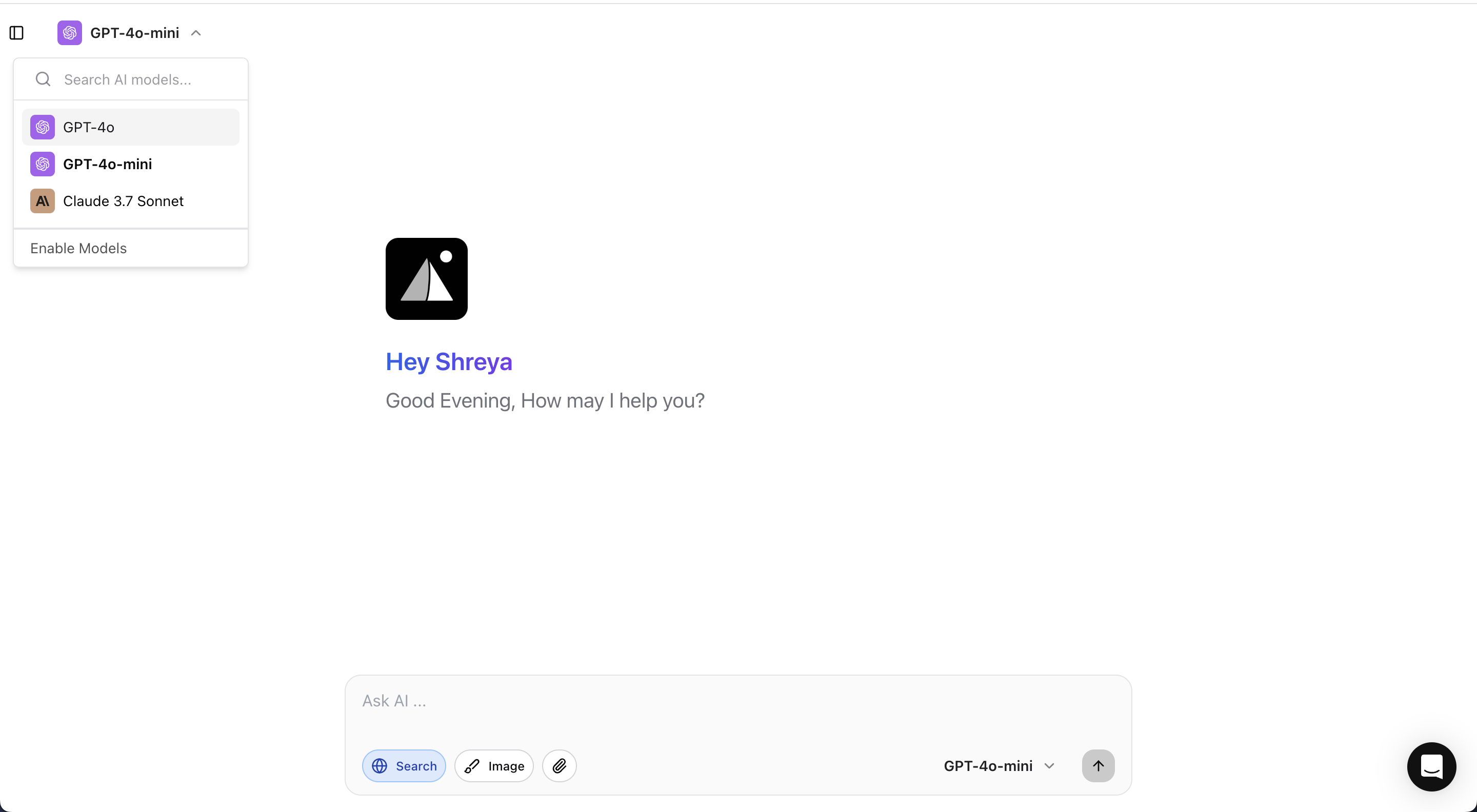 ## What You Can Do in Chat
* [**Writing and Text Generation**](/chat/writing)\
Ask questions, draft emails, create marketing copy, generate code, or build reports — all with a prompt.
* [**Image Generation**](/chat/image-generation)\
Describe an idea and turn it into an AI-generated image.
* [**Image Analysis**](/chat/image-analysis)\
Upload an image and have the AI describe, interpret, or extract insights from it.
* [**Chat with Your Documents**](/chat/chat-with-documents)\
Upload documents like PDFs or Word files, and ask questions directly about their contents.
* [**Web Search**](/chat/web-search)\
Extend your conversations beyond stored knowledge by enabling live web search when needed.
* [**Memory**](/chat/memory)\
Enable memory to let chats remember important details across sessions, supporting long-term projects.
# Tips for Using Chat in AICamp
* Different models (OpenAI, Anthropic, Google) may behave slightly differently.
* Example: For creative writing, OpenAI’s model might be better. For analysis, Anthropic might give more cautious, detailed responses.
* Tip: **Select the model that matches your need** before starting the chat.
* AI works best when you provide context.
* Example: Instead of saying “Write an email,” say “Write a polite follow-up email to a client who hasn’t responded for two weeks.”
* If you are referencing a long document, upload it and then ask specific questions about it.
* You don't have to copy-paste large content — the AI can navigate through the document for you.
* If your question needs the latest data (like market trends, latest product news, etc.), **turn on Web Search**.
* Otherwise, the AI responds based only on its built-in knowledge.
When enabled, **Memory** helps the AI remember details across chats — great for long-term projects where you don’t want to repeat context every time.
Although AICamp is built for security, avoid sharing confidential or personal information inside chats unless your company policies allow it.
* If the AI’s first answer isn’t perfect, **continue the conversation**.
* Example: “Make it shorter.” → “Focus more on benefits.” → “Make it more formal.”\
(The AI gets better as you refine.)
## What You Can Do in Chat
* [**Writing and Text Generation**](/chat/writing)\
Ask questions, draft emails, create marketing copy, generate code, or build reports — all with a prompt.
* [**Image Generation**](/chat/image-generation)\
Describe an idea and turn it into an AI-generated image.
* [**Image Analysis**](/chat/image-analysis)\
Upload an image and have the AI describe, interpret, or extract insights from it.
* [**Chat with Your Documents**](/chat/chat-with-documents)\
Upload documents like PDFs or Word files, and ask questions directly about their contents.
* [**Web Search**](/chat/web-search)\
Extend your conversations beyond stored knowledge by enabling live web search when needed.
* [**Memory**](/chat/memory)\
Enable memory to let chats remember important details across sessions, supporting long-term projects.
# Tips for Using Chat in AICamp
* Different models (OpenAI, Anthropic, Google) may behave slightly differently.
* Example: For creative writing, OpenAI’s model might be better. For analysis, Anthropic might give more cautious, detailed responses.
* Tip: **Select the model that matches your need** before starting the chat.
* AI works best when you provide context.
* Example: Instead of saying “Write an email,” say “Write a polite follow-up email to a client who hasn’t responded for two weeks.”
* If you are referencing a long document, upload it and then ask specific questions about it.
* You don't have to copy-paste large content — the AI can navigate through the document for you.
* If your question needs the latest data (like market trends, latest product news, etc.), **turn on Web Search**.
* Otherwise, the AI responds based only on its built-in knowledge.
When enabled, **Memory** helps the AI remember details across chats — great for long-term projects where you don’t want to repeat context every time.
Although AICamp is built for security, avoid sharing confidential or personal information inside chats unless your company policies allow it.
* If the AI’s first answer isn’t perfect, **continue the conversation**.
* Example: “Make it shorter.” → “Focus more on benefits.” → “Make it more formal.”\
(The AI gets better as you refine.)