> ## Documentation Index
> Fetch the complete documentation index at: https://docs.aicamp.so/llms.txt
> Use this file to discover all available pages before exploring further.
# Configure Workspace Identity | General Settings | AICamp
> Set up your AICamp workspace identity — customize name, URL slug, and description to align branding, improve context, and streamline team collaboration.
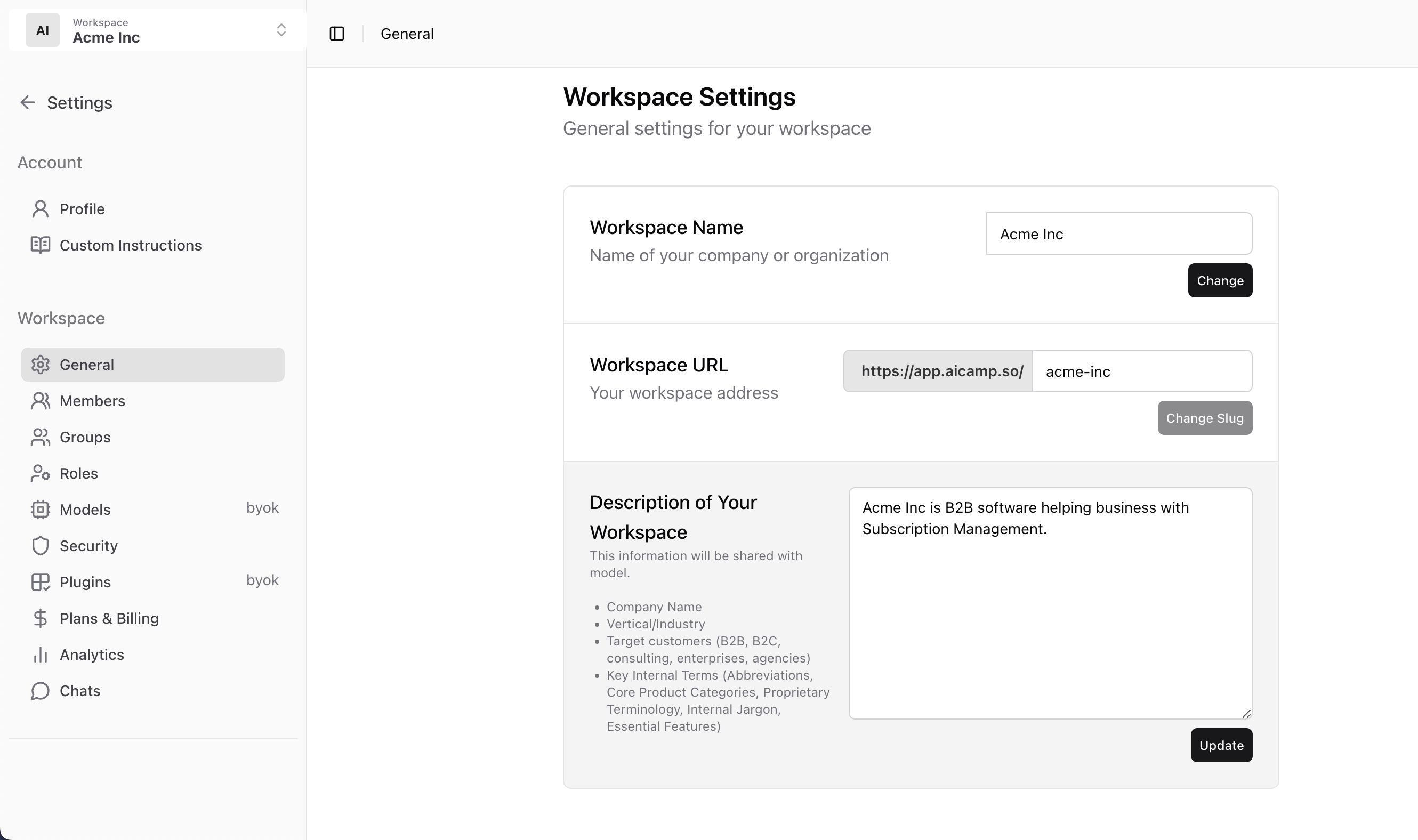
The General Settings section lets admins define how your workspace is identified in AICamp — including name, URL, and AI-visible context.
This is useful for personalization, internal navigation, and improving model understanding during chats.
***
 ## Workspace Name
Set the name of your company or organization.\
This appears in the sidebar and across your workspace.
> Example: `Acme Inc`
***
## Workspace URL
Choose your workspace’s unique URL slug.\
This becomes your workspace login address.
> Example: `https://app.aicamp.so/acme-inc`
You can update the slug if needed, but be mindful of sharing changes with your team.
***
## Description of Your Workspace
This description helps the AI understand your company context.\
It’s shared with the model behind the scenes — not visible to other users.
Use it to include:
* Company name
* Industry or vertical
* Who you serve (B2B, B2C, agencies, etc.)
* Key internal terms, categories, or products
> Example:\
> `Acme Inc is B2B software helping businesses with subscription management. Our products include BillingSync and InsightDash.`
***
## What’s Next?
* [Manage Members in Your Workspace](/admin/manage-members)
* [Organize Users into Groups](/admin/manage-groups)
* [Set Model Access for Teams](/admin/model-access)
## Workspace Name
Set the name of your company or organization.\
This appears in the sidebar and across your workspace.
> Example: `Acme Inc`
***
## Workspace URL
Choose your workspace’s unique URL slug.\
This becomes your workspace login address.
> Example: `https://app.aicamp.so/acme-inc`
You can update the slug if needed, but be mindful of sharing changes with your team.
***
## Description of Your Workspace
This description helps the AI understand your company context.\
It’s shared with the model behind the scenes — not visible to other users.
Use it to include:
* Company name
* Industry or vertical
* Who you serve (B2B, B2C, agencies, etc.)
* Key internal terms, categories, or products
> Example:\
> `Acme Inc is B2B software helping businesses with subscription management. Our products include BillingSync and InsightDash.`
***
## What’s Next?
* [Manage Members in Your Workspace](/admin/manage-members)
* [Organize Users into Groups](/admin/manage-groups)
* [Set Model Access for Teams](/admin/model-access)