> ## Documentation Index
> Fetch the complete documentation index at: https://docs.aicamp.so/llms.txt
> Use this file to discover all available pages before exploring further.
# Managed Models | Admin
> Set up managed models in AICamp to get started quickly with hosted AI models. Configure access, choose regions, and manage permissions in minutes.
AICamp offers a fully managed model hosting experience — giving your team access to powerful AI models without any setup.
These models are hosted and maintained by AICamp on enterprise-grade infrastructure, with the option to choose between **EU** or **US** data residency based on your organization’s preference.
***
 ## What Are Managed Models?
Managed models are pre-integrated into AICamp. You don’t need to bring your own API keys — AICamp handles hosting, security, and availability.
These models are ready to use immediately across your chats, agents, and workflows.
***
## Available Regions
You can choose to use models hosted in:
* 🇪🇺 **European Union** (hosted via Microsoft Azure & AWS EU)
* 🇺🇸 **United States** (hosted via Microsoft Azure & AWS US)
Your region is selected during workspace setup. You can only enable models within your selected region.
***
## Supported Managed Models
### EU-Hosted Models
| Model | Provider |
| :---------------- | :-------------- |
| GPT-4o | Microsoft Azure |
| GPT-4o mini | Microsoft Azure |
| Claude 3.5 Sonnet | AWS |
| Claude 3 Haiku | AWS |
### **US-Hosted Models**
| Model | Provider |
| :---------------- | :-------------- |
| GPT-4o | Microsoft Azure |
| GPT-4o mini | Microsoft Azure |
| Claude 3.7 Sonnet | AWS |
> Note: Gemini models will be available soon as part of AICamp’s managed offering.
>
> We keep adding all the latest available model.
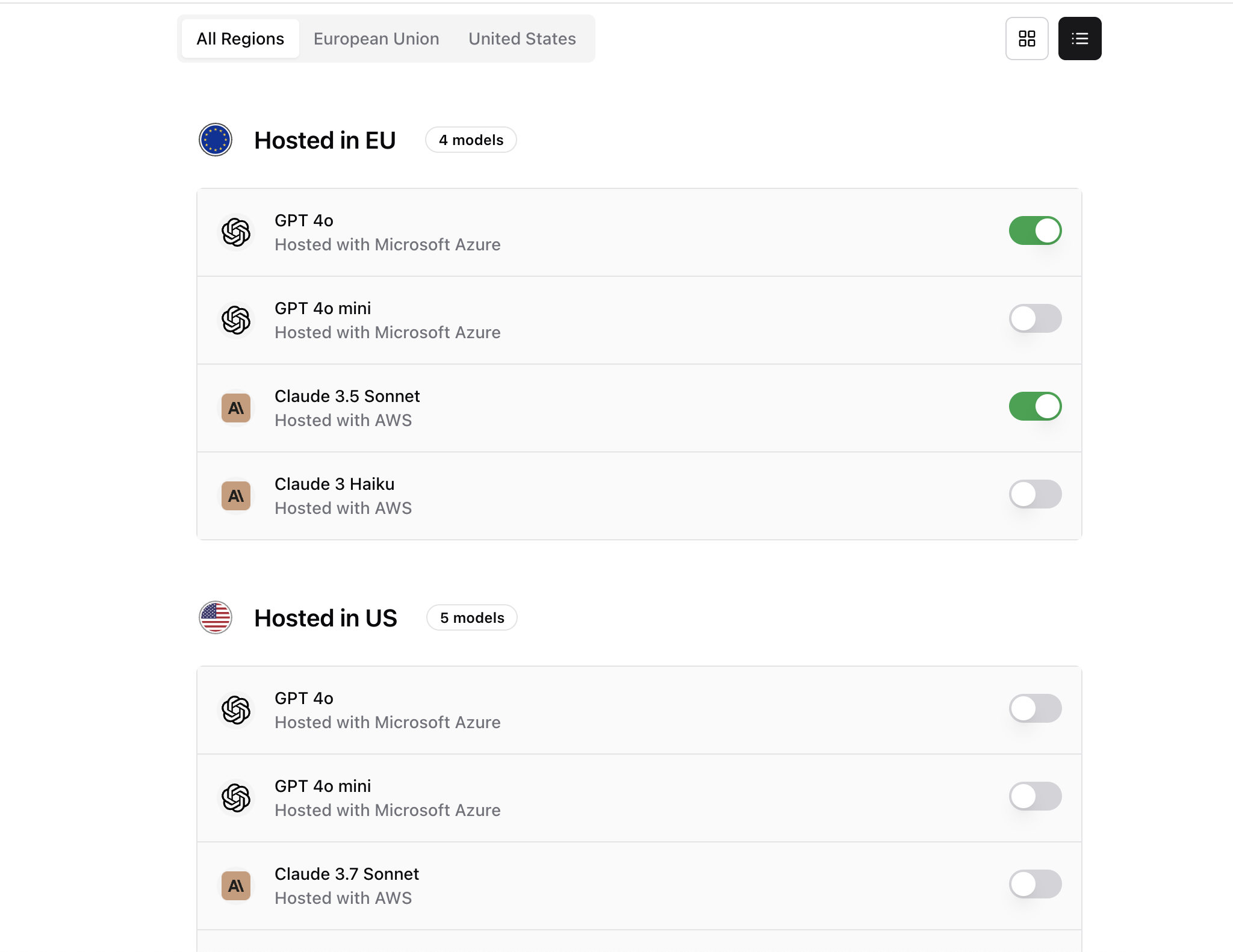
## Enable or Disable Models
To manage model access:
1. Go to **Settings → Models**
2. Use the toggle next to each model to enable or disable it
3. Enabled models will be available across your workspace
***
## Benefits of Managed Models
* ✅ No integration or keys needed
* ✅ Hosted securely in your selected region
* ✅ Access to top-tier models from trusted providers
* ✅ Consistent, centralized usage across teams
***
## What’s Next?
* [Bring Your Own Model ](/admin/model/bring-your-own-model)
* [Assign Models to Teams and Groups](/admin/manage-groups)
* [Monitor Usage Analytics](/admin/usage-analytics)
## What Are Managed Models?
Managed models are pre-integrated into AICamp. You don’t need to bring your own API keys — AICamp handles hosting, security, and availability.
These models are ready to use immediately across your chats, agents, and workflows.
***
## Available Regions
You can choose to use models hosted in:
* 🇪🇺 **European Union** (hosted via Microsoft Azure & AWS EU)
* 🇺🇸 **United States** (hosted via Microsoft Azure & AWS US)
Your region is selected during workspace setup. You can only enable models within your selected region.
***
## Supported Managed Models
### EU-Hosted Models
| Model | Provider |
| :---------------- | :-------------- |
| GPT-4o | Microsoft Azure |
| GPT-4o mini | Microsoft Azure |
| Claude 3.5 Sonnet | AWS |
| Claude 3 Haiku | AWS |
### **US-Hosted Models**
| Model | Provider |
| :---------------- | :-------------- |
| GPT-4o | Microsoft Azure |
| GPT-4o mini | Microsoft Azure |
| Claude 3.7 Sonnet | AWS |
> Note: Gemini models will be available soon as part of AICamp’s managed offering.
>
> We keep adding all the latest available model.
## Enable or Disable Models
To manage model access:
1. Go to **Settings → Models**
2. Use the toggle next to each model to enable or disable it
3. Enabled models will be available across your workspace
***
## Benefits of Managed Models
* ✅ No integration or keys needed
* ✅ Hosted securely in your selected region
* ✅ Access to top-tier models from trusted providers
* ✅ Consistent, centralized usage across teams
***
## What’s Next?
* [Bring Your Own Model ](/admin/model/bring-your-own-model)
* [Assign Models to Teams and Groups](/admin/manage-groups)
* [Monitor Usage Analytics](/admin/usage-analytics)