> ## Documentation Index
> Fetch the complete documentation index at: https://docs.aicamp.so/llms.txt
> Use this file to discover all available pages before exploring further.
# Set Up & Manage Groups | AICamp
> Organize users into groups by department or function. Control model access, share prompts, and maintain structure across your workspace.
Groups in AICamp help you organize users by department, team, or function — making it easy to share AI resources like prompts, agents, and model access with the right people.
***
 ## Why Use Groups?
* Share content with multiple users at once
* Control model access by team
* Keep your workspace structured as it grows
***
## Create a New Group
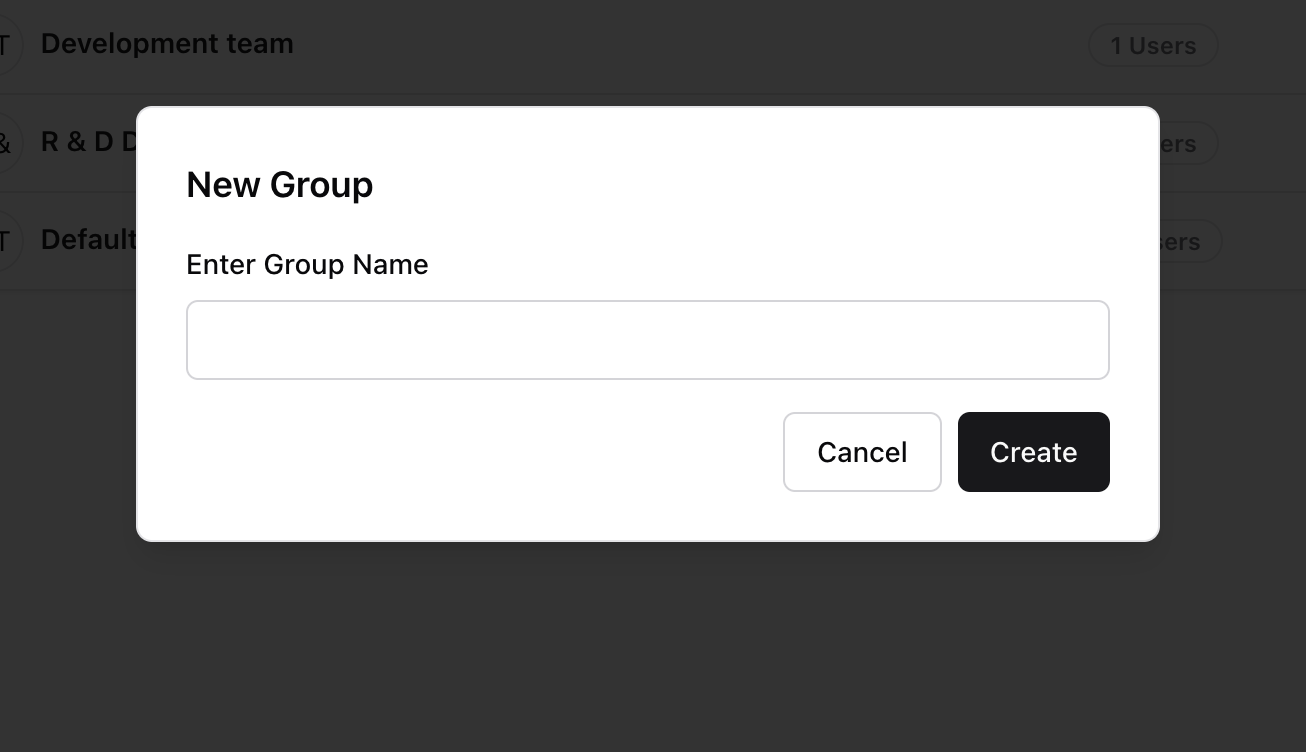
1. Go to **Settings → Groups**
2. Click **“Create New Group”**
3. Enter a group name (e.g. “Marketing Department” or “R\&D Team”)
4. Click **Create**
Once created, you can assign users to this group when managing members.
## Why Use Groups?
* Share content with multiple users at once
* Control model access by team
* Keep your workspace structured as it grows
***
## Create a New Group
1. Go to **Settings → Groups**
2. Click **“Create New Group”**
3. Enter a group name (e.g. “Marketing Department” or “R\&D Team”)
4. Click **Create**
Once created, you can assign users to this group when managing members.
 ***
## View and Manage Groups
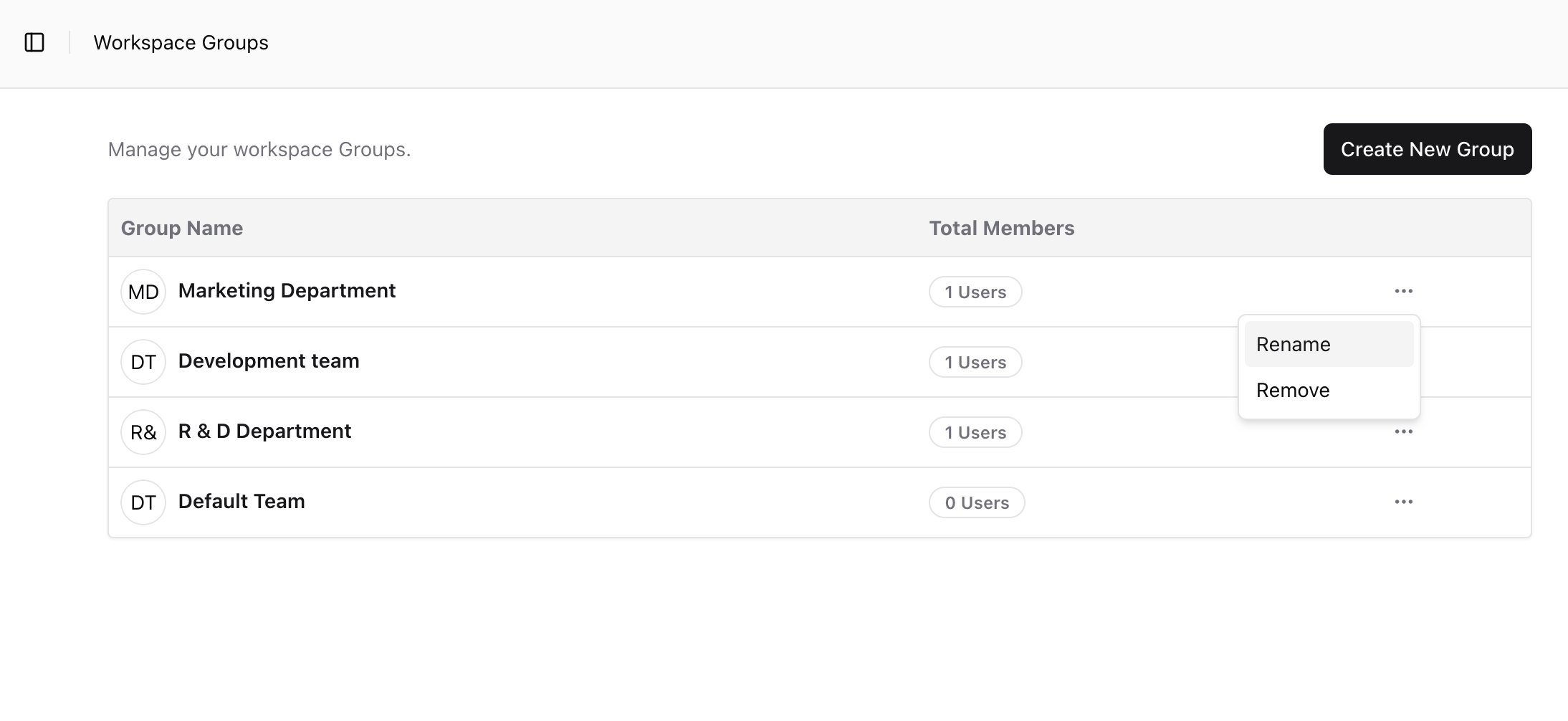
In the Groups list, you can see:
* Group names
* Total members in each group
Click the **menu (⋮)** next to any group to:
* **Rename** the group
* **Remove** the group (deletes it permanently)
***
## Best Practices
* Use clear, consistent naming (e.g. “Design Team”, not “DT”)
* Avoid overlapping group names
* Add users to groups during member invite or from the Members section
***
## What’s Next?
* [Manage Workspace Members](/admin/manage-members)
* [Set Roles and Permissions](/admin/roles-and-permissions)
* [Control Model Access by Group](/admin/model-access)
***
## View and Manage Groups
In the Groups list, you can see:
* Group names
* Total members in each group
Click the **menu (⋮)** next to any group to:
* **Rename** the group
* **Remove** the group (deletes it permanently)
***
## Best Practices
* Use clear, consistent naming (e.g. “Design Team”, not “DT”)
* Avoid overlapping group names
* Add users to groups during member invite or from the Members section
***
## What’s Next?
* [Manage Workspace Members](/admin/manage-members)
* [Set Roles and Permissions](/admin/roles-and-permissions)
* [Control Model Access by Group](/admin/model-access)