> ## Documentation Index
> Fetch the complete documentation index at: https://docs.aicamp.so/llms.txt
> Use this file to discover all available pages before exploring further.
# AICamp Account Profile
> View and edit your account profile in AICamp manage your name, email, photo, and role. Keep your profile up to date for better collaboration and context.
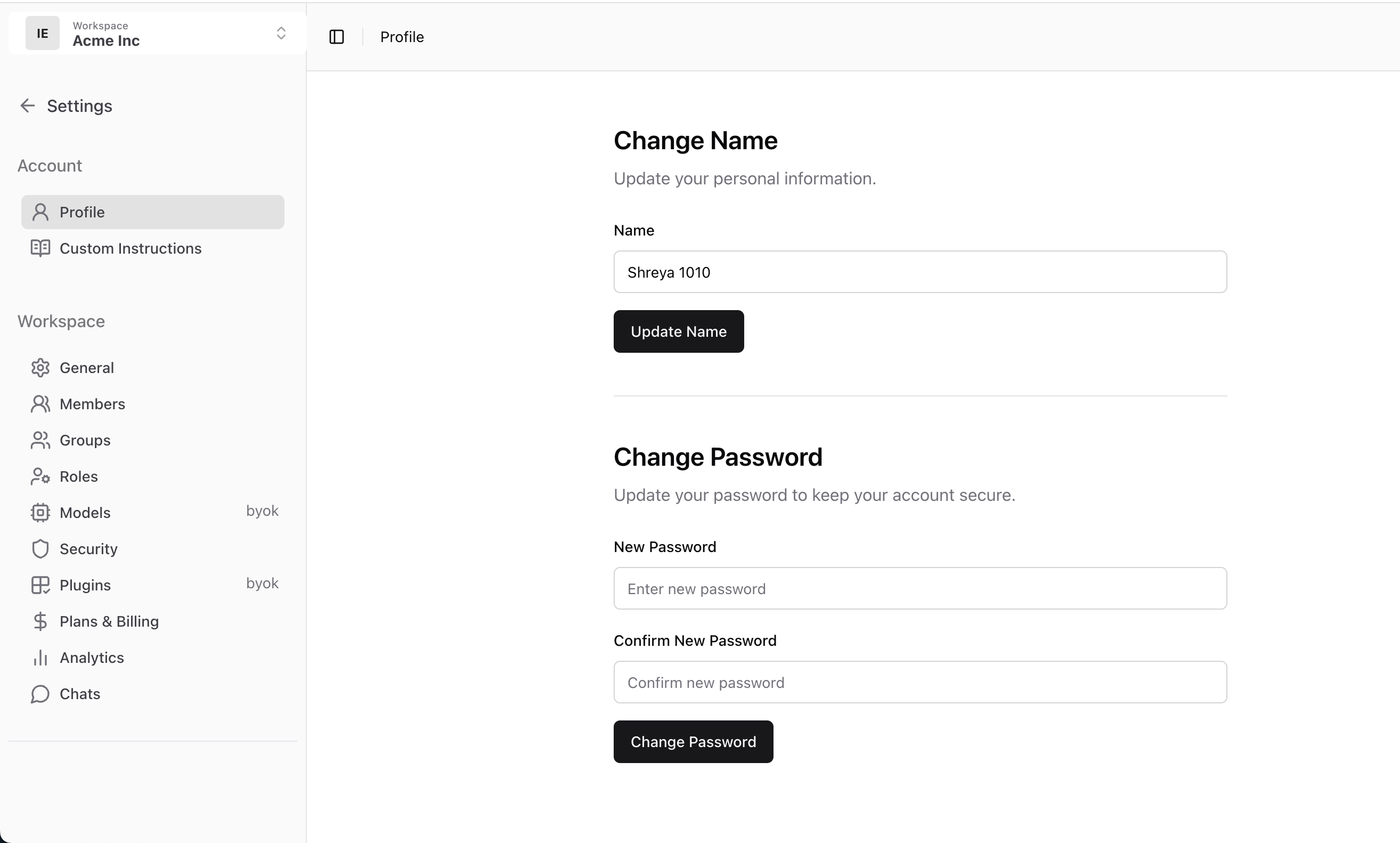
You can manage your personal details like your name and password in the **Profile** section of your AICamp account.
These settings are specific to your user identity and help personalize your experience across the platform.
***
## Change Your Name
You can update your display name at any time. This name appears in your workspace, shared content, and activity logs.
**To update your name:**
1. Go to **Settings → Profile**
2. Under the **Change Name** section, enter your new name
3. Click **“Update Name”** to save changes
 ## Change Your Password
If you need to update your password, you can do so securely from the same screen.
**To change your password:**
1. Go to **Settings → Profile**
2. Scroll to the **Change Password** section
3. Enter your **new password** and confirm it
4. Click **“Change Password”** to apply the update
> Make sure your password is strong and unique to keep your account secure.
***
## What’s Next?
* [Custom Instructions](/account/custom-instructions)
## Change Your Password
If you need to update your password, you can do so securely from the same screen.
**To change your password:**
1. Go to **Settings → Profile**
2. Scroll to the **Change Password** section
3. Enter your **new password** and confirm it
4. Click **“Change Password”** to apply the update
> Make sure your password is strong and unique to keep your account secure.
***
## What’s Next?
* [Custom Instructions](/account/custom-instructions)